
For designers and site owners who use WordPress every day, here’s a run-through of what’s going to hurt (and what’s going to help) in WP 7.1, due August 2026.
The pain: Uploading images to the Media Library works differently depending on the browser
The headline technical change in 7.1 is that image and thumbnail processing moves off the server and into the browser, using wasm-vips running in a Web Worker. On Chrome and Edge, the browser resizes the photo, generates every registered thumbnail size, and handles EXIF and format conversion before anything reaches the server.
On Firefox and Safari, none of that happens: WordPress quietly falls back to the standard server-side processing instead.
For a client that sometimes uploads photos from their iPhone, and other times uses their Windows laptop with Google Chrome, I think we’ll see a whole bunch of peculiar behaviours. If your clients report odd things happening with image uploads, ask them what type of browser/device they’re using.
The bigger cost lands if you run anything that hooks into media handling: an offload plugin pushing uploads to S3, a CDN integration, or an image optimisation tool. If you use something like Imsanity, you’ll want to check that still works when uploading images via Chrome/Edge.
Disabling client-side media processing
If you want to switch off client-side media processing, you can force the traditional server-side media processing functionality with this PHP snippet in your child theme’s functions.php:
/*
 * Process images on the server... like it's always been done,
 * instead of in the browser.
 */
add_filter( 'wp_client_side_media_processing_enabled', '__return_false' );
NOTE: Client-side media is disabled by default when using a non-SSL connection that’s not localhost. So if you have a small development server on your home network serving sites with hostnames like http://dev1.local and http://dev2.local, client-side media processing will be disabled by WordPress.
The nice bit: Notes finally match how clients actually give feedback
Notes get a genuine upgrade in 7.1. You can run more than one comment thread per block, attach a note to a specific text selection rather than the whole paragraph, use basic formatting, and @mention someone directly. Anyone who’s ever had to reply to “the second sentence in the third paragraph, not the first one” over email will recognise why this matters.
Worth being clear with clients about what it isn’t, though: still not real-time collaboration. That feature was pulled from 7.0 in May over stability concerns, went through another testing cycle, and is again absent here. No shared cursors, no live co-editing. If a client’s expecting Google Docs, manage that expectation now rather than after they’ve asked for it.
Other bits-and-bobs
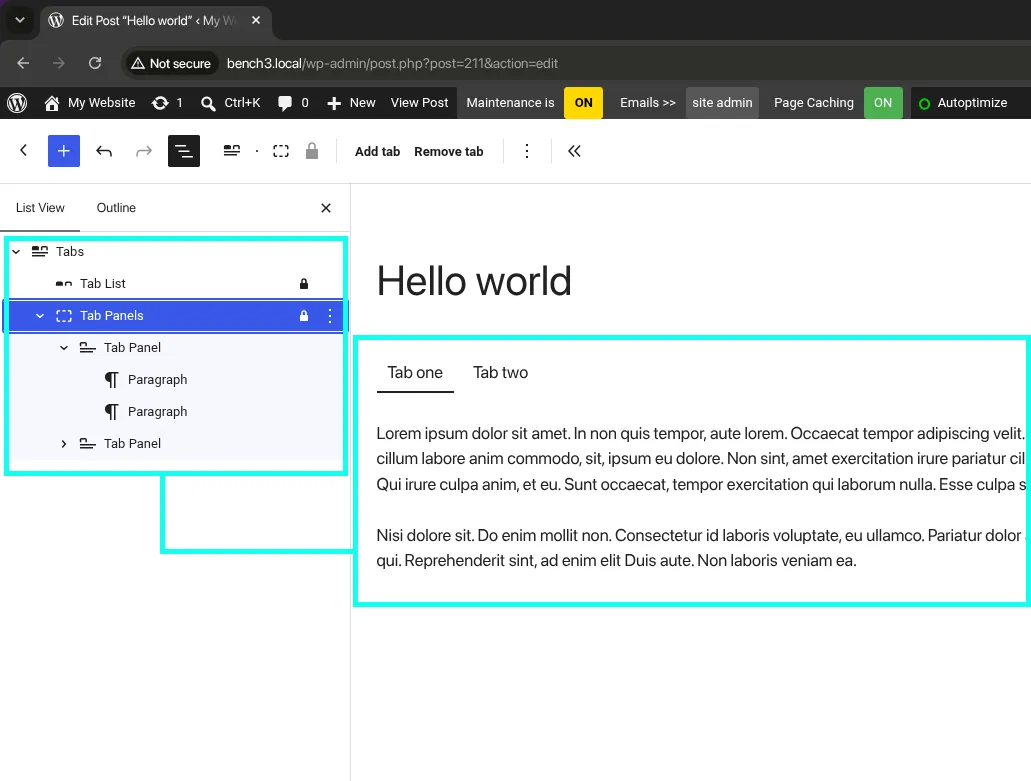
Tabs and (Audio) Playlist land as core blocks: handy for FAQs and podcast pages, and each quietly removes a small plugin dependency, but nothing to plan a project around. If you’re a plugin developer trying to make a living from a small well-built Tabs plugin, this could hurt your income stream.
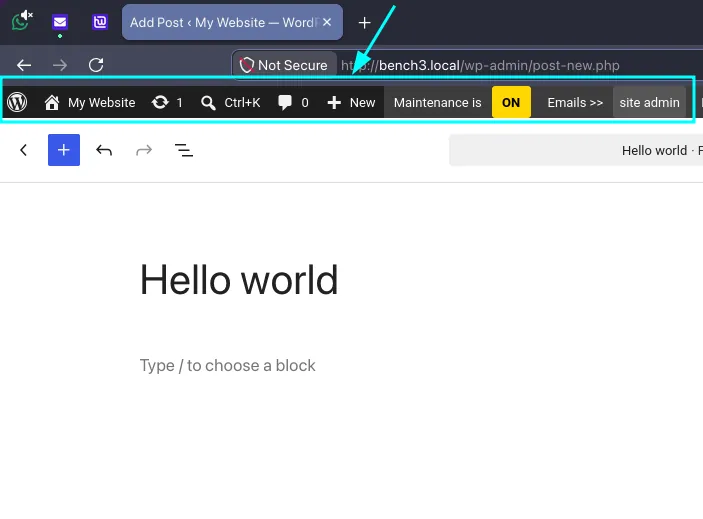
The admin toolbar now follows you into the Site Editor and the block editor instead of disappearing mid-edit. It’s a minor change, but well overdue. I think this will be the biggest win for people who use WordPress daily.
In short: watch out for the image uploader. If you design for clients who make intense use of their Media Library, test WP 7.1 on all the major browsers before your client does. Especially if you’re using plugins like Imsanity or Smush, or perhaps a tool that pushes to a CDN.