
Although a website is a somewhat ethereal concept, how its put together can have physical consequences. Learn how to measure and reduce your site’s CO2 footprint.
The main factors that contribute to a website’s CO2 footprint are:
Page bloat: Web pages that have lots of big images & videos (or lots and lots of asset files) need to push more data over the Internet. That means more bandwidth, more routers, more signal boosters and everything else that goes in to moving data from web servers to visitors.
Energy source: If your web server is in a data centre that’s powered by coal, that’s going to have a much (much) higher carbon footprint that a data centre powered by solar & wind.
Put simply, an efficiently structured website that’s hosted in data centre powered by renewables will have a lower CO2 footprint than a bulky image-heavy site hosted in a data centre powered by a coal-powered grid.
Analyse your site
The first thing to do is run an analysis of your site: https://www.websitecarbon.com/

Enter your website’s front page (or any page you want to check) then hit “Calculate”. You should receive a report like this:
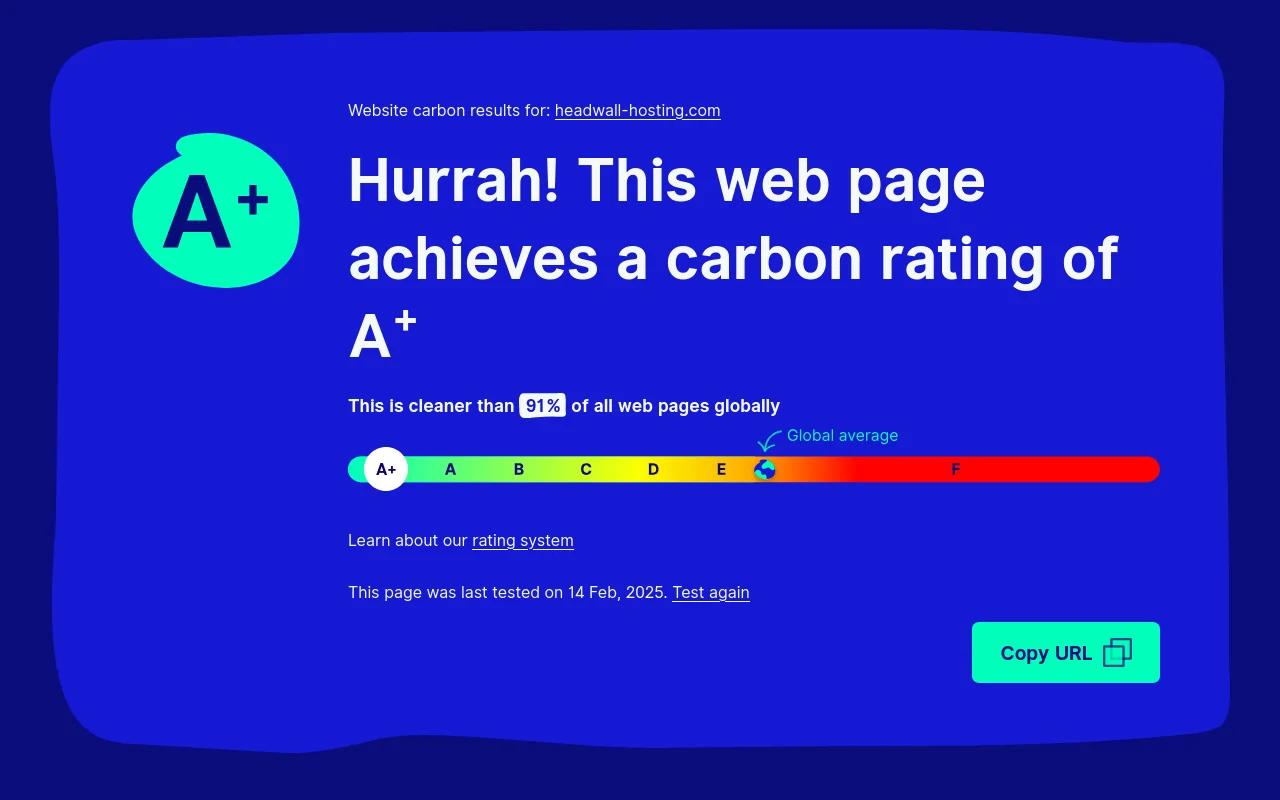
Scroll down a bit and you’ll get a summary of the CO2 impact due to transferring the site over the Internet, and confirmation of the data centre’s energy sustainability.

Hosting powered by renewables
If your web server is in a data centre that isn’t powered by renewables – this is the first thing to fix. It has the biggest impact on your website’s and is an easy win.
Most hosting providers powered by renewables will advertise that fact (Headwall Hosting only uses web servers powered by renewables). The UK is doing quite well on this front, but never assume. If you’re looking at a website hosting package that is suspiciously cheap and doesn’t mention renewables, it’s a good bet they’re using the cheapest energy provider at any given time (which could be anybody).
Simplify your page-load
This option is worth pursuing, but can involve some effort:
Technical adjustments
- Reduce the number of CSS and JavaScript files on each page load with an asset minification & aggregator plugin (e.g. Autoptimize).
- Check your images, and convert them to a modern format like WEBP, instead oof older JPEG and PNG formats. This can drastically reduce file sizes.
- Make sure your below-the-fold images are lazy loaded.
- Use a free tool like GTmetrix.com to analyse the size of your page-load before and after making any changes – it tells you how many MB each page-load is on the Waterfall tab.
Content adjustments
- If you use a video in your page hero, outsource it to a CDN like BunnyNet or Cloudflare. This will place the large video file(s) geographically close to your website visitors, reducing how much data needs to be carried over large network distances.
- Check your images’ pixel dimensions. If most of your website visitors are using mobile devices, do you really need featured images that are more than 2,000 pixels wide?
In short… keep things lean and always check your images.
Troubleshoot and improve WordPress page-load speed
When crawlers like GoogleBot and OpenAI index your website, they just need it to load fast so they can extract the text/content and move on to the next page. Human visitors are much-the-same.