
Practical tips and gadgets for people who need to maintain an online presence while travelling.
NOTE: I don’t have any affiliation with any of the products mentioned, and I don’t make any money by recommending any of the referenced devices.
Prepare for the worst
Hopefully your travel experience will be great, but always prepare for the possibility that all your equipment will fail, be stolen, or get destroyed.
Enable filesystem encryption on your devices, so if anything is stolen, the thief can’t access your data. This is 100% critical – you don’t want your saved passwords and sensitive docs to be exploited.
Most devices enable filesystem encryption by default these days. But check your device before you travel, to be sure. The thought of my laptop not being encrypted, then ending up in the hands of a nosey little tea leaf makes me feel queasy.
Always back-up to the cloud (frequently). You can use one of the big providers like Google Drive, iCloud or Dropbox, or do it yourself with Syncthing or a remotely-accessible NAS drive (e.g. Synology NAS).
With these two items ticked, the worst that’ll happen is you might have to claim on your insurance for a new laptop or phone.
Bring your own Internet
Relying on WiFi in cafes and public spaces can be risky. You might get a crappy/slow connection. Or worse, the WiFi might be compromised, meaning your Internet traffic is vulnerable to snooping. Even if you use a VPN over WiFi, your device is sharing the local network other users. All it takes is for someone sat at another table to be using a laptop that has a virus on it, and your laptop is at risk.
A mobile 5G router (portable hotspot) works like a smartphone, but without the the iOS/Android App stuff. If you choose to carry a mobile router in addition to your phone, make sure the two devices use SIMs from different network providers. The idea is that if your mobile router can’t get a 5G connection, your phone probably can (and vice-versa).
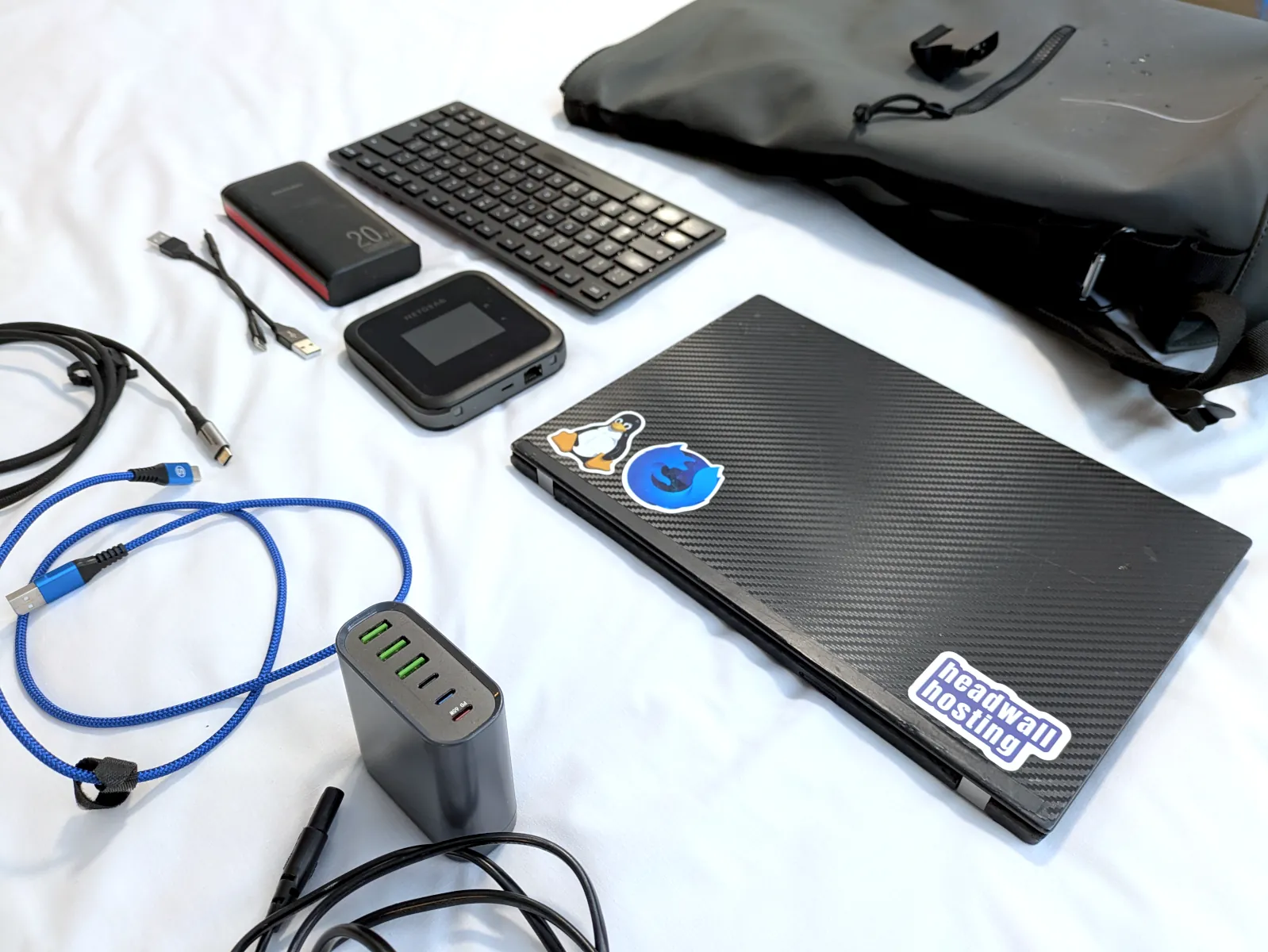
I travel with a Netgear Nighthawk in addition to my phone. With these two devices, my laptop can access 5G data in most places (in the UK).
Charging multiple devices
A USB charging station lets you carry a single power cable & charger for all your devices – it’s a power supply with multiple USB outputs, one of which is high-power (for your laptop). They’re available in lots of different power capacities, but ~150W is a sweet spot for something that’s light, portable and powerful.
It should go without saying that a juicy power bank is also a useful thing to have in your bag.
Pack multiple USB-C cables that can handle high power AND data. It’s worth spending a few extra pennies to get high quality power+data cables. Short USB-A to USB-C cables are handy if you want to charge something up while it’s in your backpack.
Keep it simple
As with most things in a digital life, the “keep it simple” rule is a good one to travel by:
- A simple lightweight laptop will be more fun than a big expensive laptop. Secondhand Thinkpad laptops are cheap, robust and capable.
- Reduce the number of peripherals you carry. Do you really need that laptop stand, wireless mouse and webcam?
- Charge everything up before you leave the house.
- If you’re travelling for an extended period, consider getting travel insurance that explicitly covers your tech.
Happy techno-travelling!